
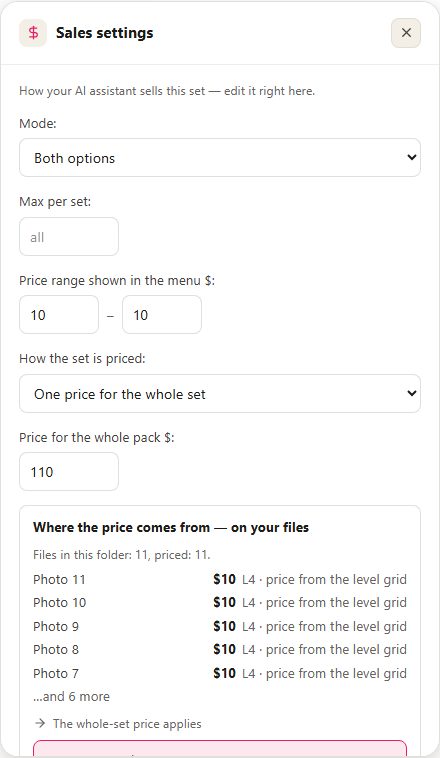
What to press
- Content → three dots on the folder → Sales settings.
- Mode: Per piece.
- Press Save.
Good to know
- New sets start with Both options. Switch to Per piece if you want only single sales.
- A single file sells when it has a price above $0 and tags. A level is not required for a single file.
- If the window says Lola isn't offering this folder, press Sell this folder: your decision wins.
- Hide from the AI assistant in the folder menu takes the whole folder out of sales; Return to the AI assistant brings it back.
- If How Lola sells your content in Model is set to Stories only, Lola sells no sets and no single files, only stories.
Still stuck? Write to our team: the chat button in your dashboard, the Support page or Telegram @ManyFansAi.Open SupportTelegram support @ManyFansAi →