
What to press
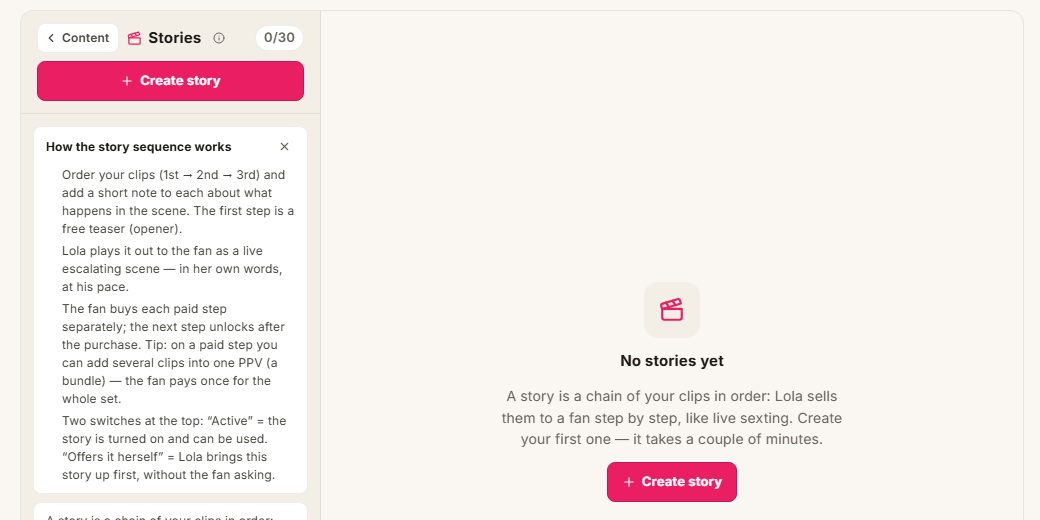
- Content → Stories → open or create a story.
- Add steps with Add. A paid step costs at least $1.
- Turn on Active so the story works, and Lola offers it herself if Lola may start it on her own.
- Choose when Lola may start it: Always, Only after the fan's first purchase, or Manually only.
Good to know
- Up to 12 steps per story, up to 25 clips per step, up to 30 stories.
- Starter story: one per profile. It goes first to a fan who has bought nothing yet and whose tastes Lola doesn't know yet. In Stories only mode it also goes to such a fan whose tastes are known, when no other story fits. It needs Active, Lola offers it herself and Always.
- Order: drag by the handle or use Move up / Move down. Order only breaks ties: a story whose trigger word the fan wrote goes first.
- In Dialogs, the ▶ Story button in a chat starts a story by hand. In approval mode the first message waits for your OK as a draft.
- The free first step sends its clip only while teasers are on (Content → Teasers). With teasers off the step goes as text, without the clip.
- If How Lola sells your content in Model is set to PPV only, stories don't run: neither by themselves nor with the ▶ Story button.
Still stuck? Write to our team: the chat button in your dashboard, the Support page or Telegram @ManyFansAi.Open SupportTelegram support @ManyFansAi →