
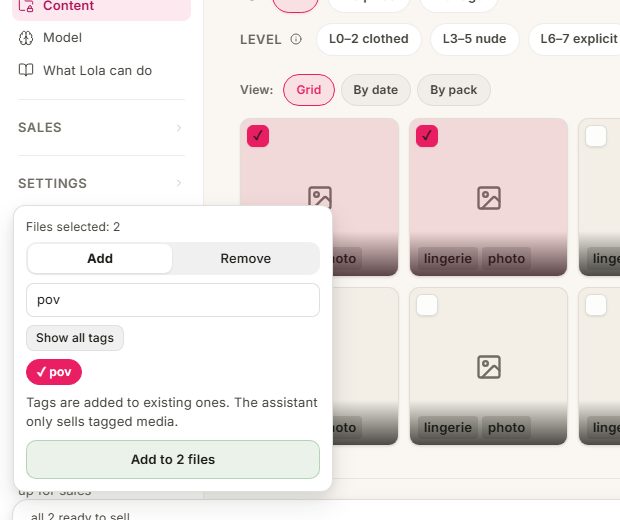
What to press
- Open a folder → Select → tick the files → Tags.
- Choose Add or Remove. The button shows how many files will actually change, like Add to 2 files.
- To put selected files into your own set: Select → Add to pack.
Good to know
- Remove lists only the tags that are on the selected files. The file type (photo, video) stays.
- By default a set is the files of one folder. Add to pack makes your own.
- bundle (format) only describes the content format; it does not group files.
Still stuck? Write to our team: the chat button in your dashboard, the Support page or Telegram @ManyFansAi.Open SupportTelegram support @ManyFansAi →